How we label facts
Confirmed official Rockstar, Take-Two, PlayStation or Xbox source.Reported a named outlet reported it; not confirmed officially.Leak / rumour leaks, datamines or rumours, described only as outlets reported them. Every label is followed by its source link. No story spoilers.
To play GTA 6 in first person, change the Touch Pad Button setting from Map to Camera, sit in a car’s driver’s seat, take your phone out and put it away, then spam the camera button straight after. GTA 6 has no first-person toggle at launch, so this is an unofficial glitch. It takes a few tries, but once it works you can drive, walk and shoot in first person.
Reported The method was shown on launch day in a gameplay clip posted on X (via @GTAVI_Countdown on X), and Dexerto has reported the same glitch. (Dexerto)
A note on sources: the steps and behaviour below are taken from that clip. We haven’t seen any comment from Rockstar on the glitch. It’s not an official feature, and a patch could remove it.
Is there a first-person mode in GTA 6?
No, not officially. There’s no first-person option in GTA 6’s camera settings at launch. The only way in right now is the camera glitch below.
How to get first person in GTA 6 (step by step)
- Rebind the touchpad. Open the pause menu and go to Settings > Controller > Touch Pad Button. Change it from Map to Camera. Now the touchpad (Back on Xbox) cycles the camera view instead of opening the map.
- Get in the driver’s seat. Sit in the driver’s seat of any car, then pull out your phone with D-pad Up.
- Put the phone away and spam the camera button. Press Circle (PS5) or B (Xbox) to put the phone away, then immediately start spamming Touchpad (PS5) or Back (Xbox).
- Try again if it doesn’t stick. It usually takes a few attempts. In the clip it worked on about the fourth try.
When it works, the camera locks into first person from the driver’s seat, and you’ll see the car’s interior. It’s fully detailed.
PS5 and Xbox buttons
| Action | PS5 | Xbox Series X|S |
|---|---|---|
| Button to rebind to Camera | Touchpad | Back (View) |
| Take the phone out | D-pad Up | D-pad Up |
| Put the phone away | Circle | B |
| Spam straight after | Touchpad | Back (View) |
| Go back to first person on foot | Touchpad | Back (View) |
The clip used PlayStation buttons. The Xbox column follows the same layout, but we haven’t tested it on Xbox yet.
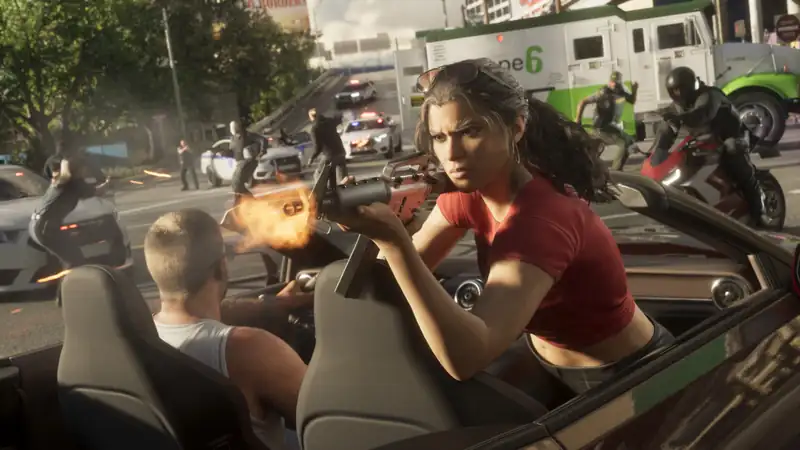
What first person is like once it works
- Getting out of the car. Leaving the vehicle puts the camera back in third person. On foot, press Touchpad (PS5) or Back (Xbox) again and you’re back in first person.
- A quick camera glitch on foot. When you switch on foot, the camera can briefly snap down or clip into the character’s chest before it settles at eye level. Give it a second.
- Weapons work. First-person weapon animations are there: in the clip, aiming an assault rifle used its iron sights, a sniper rifle showed its scope, and hip fire worked while walking.
- Interiors. Car interiors are fully detailed, so driving in first person looks right.
If the first-person glitch isn’t working
- Get the timing right. The camera button has to go in straight after you put the phone away. Start pressing it the moment you hit Circle or B, and keep pressing quickly.
- Just retry. It’s a glitch, not a menu option, so misses are normal. Take the phone out and try again. The clip needed about four tries.
- Check the setting. If the touchpad still opens the map, the Touch Pad Button setting hasn’t changed to Camera. Go back to Settings > Controller.
- Be in the driver’s seat. The clip did it from the driver’s seat of a car. Start there.
- It reverts when you leave a car. That’s expected. Press the camera button again on foot to switch back.
- Stuck in a camera you don’t want? Reported Dexerto reports that once the glitch is active you can’t just switch back to third person and have to reload your save. (Dexerto) In the clip, leaving the car did go back to third person. If yours gets stuck, save often so a reload doesn’t cost you anything.
Where does the map go?
Rebinding the Touch Pad Button to Camera means it no longer opens the map. The map should still be on its other button, but we haven’t confirmed which one yet. Check Settings > Controller in-game to see where it sits. To undo everything, set Touch Pad Button back to Map.
Will Rockstar patch it?
We don’t know. It’s an unofficial glitch, and we haven’t seen any comment from Rockstar on it. Because it isn’t a supported feature, a future update could stop it working. Reported Dexerto says it’s unclear whether Rockstar plans to patch the glitch or add a full first-person mode. (Dexerto)
We’ll update this page if a patch changes anything. The date at the top will change too.
More to set up on day one
- The rest of the camera and control options are in our best GTA 6 settings guide.
- New to the game? Start with the first things to do in GTA 6.
- Found a car you want to drive in first person every day? See how to keep stolen cars.
FAQ
Is there first-person mode in GTA 6?
Not officially. GTA 6 launched without a first-person camera toggle. A glitch found on launch day unlocks a first-person view: set the Touch Pad Button to Camera, then put your phone away in a car's driver's seat and spam the camera button straight after.
Does the GTA 6 first-person glitch work on Xbox?
The steps are the same on Xbox: put the phone away with B, then spam the Back (View) button, after setting that button to Camera in the controller settings. The clip we checked used PlayStation buttons, and we haven't tested the glitch on Xbox ourselves yet.
Does GTA 6 first person work on foot?
Yes, once you've triggered it. Getting out of the car puts you back in third person, but in the clip, pressing the camera button again on foot went back to first person. The camera can briefly dip into the character's chest before it settles at eye level. Weapon aiming, scopes and hip fire work in first person.
Will Rockstar patch the GTA 6 first-person glitch?
We don't know. We haven't seen any comment from Rockstar. It's an unofficial glitch, so a future update could remove it, and Dexerto says it's unclear whether Rockstar will patch it or add a full first-person mode.
Last updated 19 Nov 2026. 6guides is a fan site and is not affiliated with Rockstar Games or Take-Two. Images: Rockstar Games. Spotted something out of date? We re-check sources through launch week.