How we label facts
Confirmed official Rockstar, Take-Two, PlayStation or Xbox source.Reported a named outlet reported it; not confirmed officially.Leak / rumour leaks, datamines or rumours, described only as outlets reported them. Every label is followed by its source link. No story spoilers.
The first things to do in GTA 6 are quick: change a few comfort settings, learn how saving works, and stop carrying your cash around. Do those three things in your first hour and you avoid the mistakes that cost players progress and money on day one. This guide goes with our video and covers each tip in the order the video does, with a source for every claim.
A note on sources: this guide is spoiler-light and doesn’t go past the start of the story. Menu details and payouts come from outlets that have played the game, so they’re labelled as reported. Things Rockstar has said itself are labelled as confirmed.
1. Settings to change first
Reported The first time you boot the game, it asks you to set four things: Navigation Experience, UI text size, subtitles and brightness. You can change all of them later in Settings. (VGC)
- Navigation Experience (your minimap). Reported The Dynamic options hide the minimap when things are quiet, and the d-pad brings it back. If you want it on screen all the time, pick Always On. (VGC)
- Subtitles. Leak / rumour Guide sites report that subtitles default to Mission Only, in a small size with no background. (ViceManual, HowToVideoGame) Reported Destructoid suggests turning on the background and speaker names, so you can read who’s talking while you drive. (Destructoid)
- Motion blur and camera bob. Leak / rumour Motion Blur Strength reportedly starts at 3 and Camera Bob at 10, its maximum. (ViceManual, HowToVideoGame) If the game makes you feel seasick, turn both down first.
- Aiming. Reported Destructoid suggests Partial or Lock-On targeting with Aim Assist around 4 while you learn the shooting. (Destructoid) That’s one outlet’s opinion, so tune it to suit you.
- Controls. Reported If you want GTA 5-style buttons, there’s a Classic control scheme in Settings. (GamesRadar+) There’s no first-person camera option at launch, but a launch-day glitch unlocks one.
Confirmed Don’t go looking for a performance mode. Rockstar says GTA 6 targets 30 frames per second on consoles, and no 60fps mode has been announced. (Rockstar Games) More on that in our 60fps and PS5 Pro guide.
Every setting, with defaults and our picks, is in our best GTA 6 settings guide.
2. Your first hour: saving, phone, map and Focus
Saving works differently
Reported You can’t save during missions or the opening missions. Manual saves open up at Jason’s house after the first job. After that, the path is pause > Game > Save Game. (GamesRadar+, KeenGamer)
Reported You get 15 manual slots plus one autosave that keeps overwriting itself. (KeenGamer) Reported VGC reports that autosaves are inconsistent and recommends saving manually. (VGC)
Reported There’s also no quit option in the pause menu, so save first, then close the game. (GamesRadar+) Slots, autosave and the “greyed out” problem are covered in how to save in GTA 6.
The phone apps that matter early
Reported Your phone is on the d-pad. The apps to learn first are Whatup (messages and missions), WAiNK (scan cars), Scooter Bros (your own vehicle) and Weather. (GameSpot)
Quick-mark places instead of opening the map
Reported Hold down on the d-pad and time slows while nearby points of interest pop up. Mark one and you get GPS straight to it. (Kotaku) It’s much faster than opening the full map.
Learn Focus
Reported Click both sticks to use Focus. It highlights enemies, things you can interact with, and alarmed doors, which glow red. With a gun out, it slows time so you can line up a shot. (Kotaku, GameSpot)
Eat before you head out
Reported Kotaku says food and drink buff your health, stamina and Focus, and you can eat while you run or drive. (Kotaku)
3. Early money: keep it first, then grow it
Reported Cash you’re carrying can be lost when you’re Wasted or Busted, and early on there’s no bank. Banking unlocks with the mission Buck Me in Chapter 1. (VGC, GameSpot)
Reported Until then, use the loose floorboards in Jason’s bedroom. VGC calls this stash the only way to keep money safe before the bank. (VGC) Stash your cash every time you’re home.
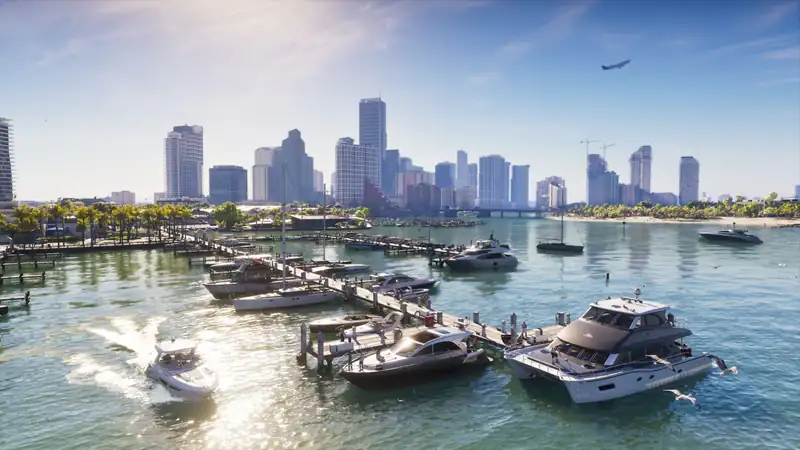
- Shipwreck dives. Reported Kotaku says they unlock very early. (Kotaku) Leak / rumour Guide sites report about $1,400 from the first wreck. (Outputlag) We haven’t confirmed that figure.
- Demolition Derby. Reported PC Gamer reports a repeatable derby at Ambrosia Raceway paying roughly $3,800 to $6,300 per win. (PC Gamer)
- Banks and loan stores can wait. Leak / rumour Guides report that cash from them comes with dye packs early on, and suggest holding off until Chapter 3. GameSpot’s video shows a dye pack going off. (GameSpot on YouTube)
The full breakdown, including Family Savings goals, is in how to make money early in GTA 6.
4. Map, cars and weather
- Which buildings you can enter. Reported Buildings shaded darker blue on the map have an entrance or interior. Lighter blue means you can’t go in. Up close, the minimap marks the door. (VGC)
- Keeping a stolen car. Reported Polygon says a stolen car is gone if you leave it, wreck it or quit the game, unless it’s in your garage or registered. Registering opens up at Moses’ shop in Chapter 2, then at any Pay ‘n’ Spray from Chapter 3. (Polygon) See how to keep stolen cars.
- Check for trackers. Reported A red tracker icon at the bottom left means the car has an advanced tracker, and the police can find you. Kotaku’s advice is to leave those cars alone early. (Kotaku)
- Trunk and gas pumps. Reported Your trunk holds spare guns and outfits, and a gas pump will repair your car for a small fee. (Kotaku)
- Weather. Reported Rockstar’s lighting lead reportedly described the weather as “localized, persistent, and dynamic”. (GamesRadar+) Check the Weather app before you take a boat or a plane out. More in our GTA 6 weather guide.
- Podcasts. Confirmed For the first time in the series there are on-demand podcasts, and you can listen on foot through your phone. (GamesRadar+)
5. GTA+: is it worth it on day one?
Confirmed GTA+ now covers GTA 6 as well as GTA Online. Rockstar’s perks for GTA 6 include a free Annis Elegy widebody, a garage in Crosstown, 10% off at select shops, 10% more when you sell your own cars, Scooter Bros Premium, RydeMe premium, and free scooter and bike rentals. (Rockstar Games)
Reported GamesRadar+ lists it at $7.99 a month, and digital pre-orders came with a free month. (GamesRadar+)
Confirmed The catch: the car and garage can only be claimed from Chapter 3. The membership auto-renews, and the perks end if you cancel. (Rockstar Games)
Our take: not yet. If your free month is running, set a reminder and decide when you reach Chapter 3. Every perk is in our GTA+ guide.
6. Five mistakes to avoid early
- Carrying a lot of cash into a gunfight. Stash it first (see above).
- Kicking in a door that glows red. Reported Red means alarmed. Use Focus to check, and pick the lock once you have the tool. (Kotaku)
- Panicking at one star. Reported With no gun out, you can sometimes talk the cop down: hold the left trigger on them and choose to defuse. (Kotaku)
- Ignoring the icons under your stars. Reported They show what the police know, such as your outfit, your car or a visible weapon. Change clothes, swap the car, put the long gun in the trunk, then leave the search zone. (Polygon) Our wanted level and heat guide explains every icon.
- Rushing. Reported Kotaku’s tip is to slow down, because a lot of the good stuff passes you by if you rush. (Kotaku) Reported Cheats only unlock after the story anyway, and using one turns off saving for that session. (PC Gamer) See our cheats guide.
Quick recap
- Fix your subtitles and camera settings.
- Save manually, and save before you quit.
- Stash your cash under Jason’s floorboards until Buck Me unlocks the bank.
- Leave tracked cars alone early.
- Set a GTA+ reminder for Chapter 3.
We’ll update this page as more of the game is covered. If something here changes after a patch, the date at the top will change too.
FAQ
What should you do first in GTA 6?
Change a few settings (subtitles, motion blur, camera bob, minimap), learn how saving works, and stash your cash under the floorboards at Jason's house so you don't lose it when you're Wasted or Busted. Everything else can wait.
Can you save at the start of GTA 6?
No. You can't save during missions or the opening missions. Outlets report that manual saves open up at Jason's house after the first job, through pause, Game, Save Game.
How do you keep money safe early in GTA 6?
Outlets report that pocket cash can be lost when you're Wasted or Busted. Until the Buck Me mission sets up your bank account in Chapter 1, use the stash under the loose floorboard in Jason's bedroom.
Is there a 60fps mode in GTA 6?
No. Rockstar says GTA 6 targets 30 frames per second on PS5, PS5 Pro and Xbox Series X|S, and no 60fps or performance mode has been announced.
Is GTA+ worth it for GTA 6 on day one?
Our take is not yet. GTA+ is $7.99 a month and covers GTA 6 and GTA Online, but the free car and garage can only be claimed from Chapter 3. If you have a free month running, set a reminder and decide when you reach Chapter 3.
Last updated 19 Nov 2026. 6guides is a fan site and is not affiliated with Rockstar Games or Take-Two. Images: Rockstar Games. Spotted something out of date? We re-check sources through launch week.